Available-funds validation
Pending payments and uncleared deposits are considered before a disbursement can be approved, helping protect each client ledger from going negative.
AI-assisted trust & IOLA accounting
Ask questions about your books. Spot trust-account issues with automatic reviews and alerts. Prepare closing drafts with AI—all alongside your bank, QuickBooks, and the controls your firm relies on.
Controls before cleanup
Ordinary accounting software records what happened. FIDGARD adds matter-level safeguards at the moment your team prepares and approves trust activity.
Pending payments and uncleared deposits are considered before a disbursement can be approved, helping protect each client ledger from going negative.
Staff can prepare the work while authorized attorneys retain control of the final approval step and every decision remains documented.
Cleared entries stay locked. Corrections use voids and reversals, preserving a readable history instead of silently rewriting the past.
AI in your daily workflow
Get help investigating trust-account issues, finding answers in your records, and preparing closing documents. Keep the evidence—and the decision—in your team’s hands.
Monitor
Find the issues that need a closer look.
Automatic checks flag unassigned deposits, negative client balances, stale checks, and reconciliation issues. AI explanations help your team understand the finding and what to review next.
Scheduled checks notify your team about critical findings in the app, with push notifications where enabled. Open the finding to inspect its supporting records.
Ask
Your questions. Your accounting records.
Ask in plain English about client balances, trust accounts, and uncleared transactions. Get answers grounded in your firm’s records, with supporting data to review.
Prepare
Start with a draft you can verify.
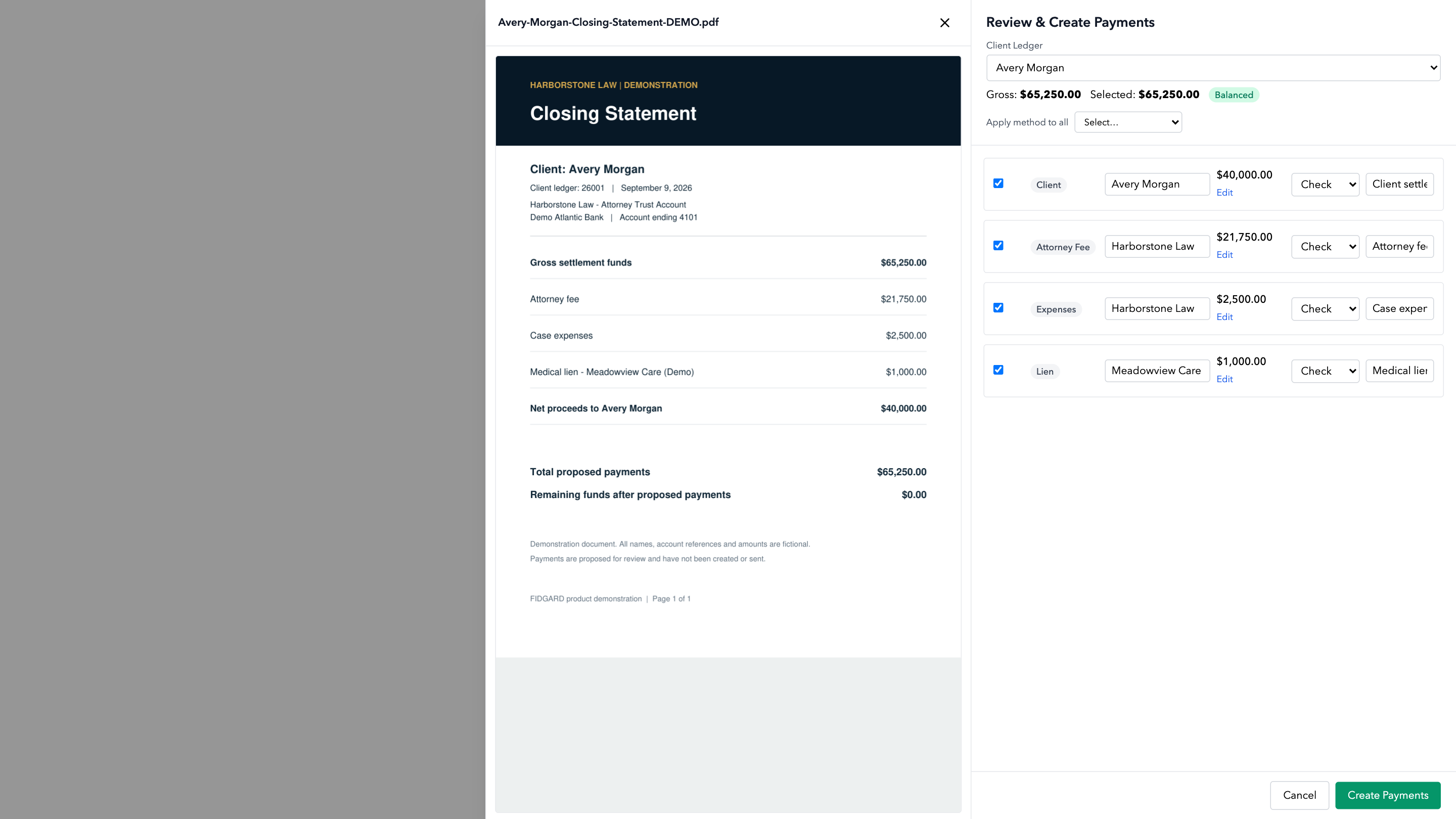
Turn a closing statement into structured draft information and proposed disbursements. Compare the draft with the source document before your team approves the work.
Review payees, amounts, and matter details. FIDGARD’s balance controls and your firm’s approval process remain part of the workflow.
One controlled workflow
Every step stays connected to the client matter, the source document, the person who reviewed it, and the records needed for reconciliation.
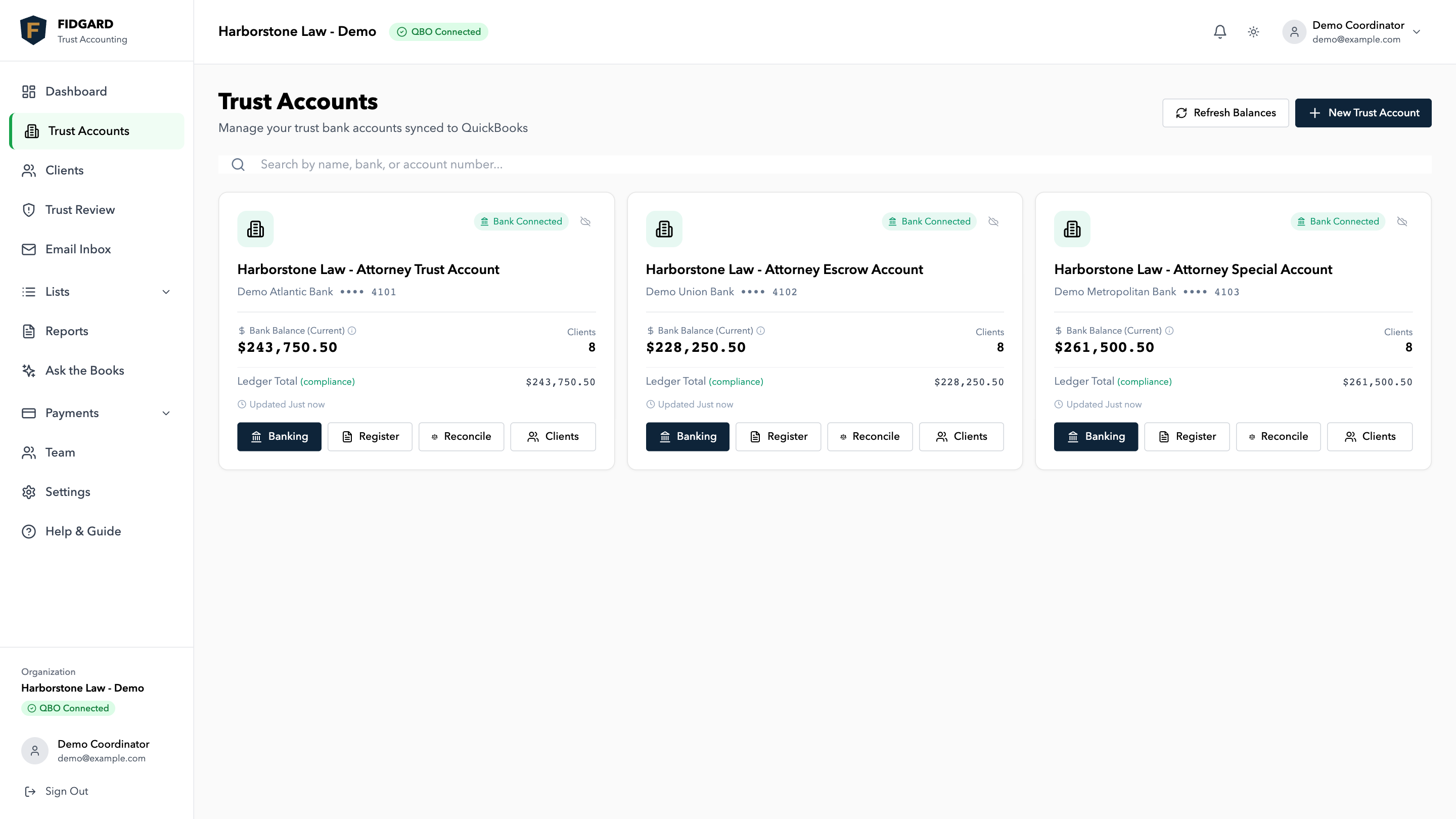
Bring in trust-bank activity and keep QuickBooks aligned.
Tie every deposit, check, and payment to the correct client matter.
Check collected funds and pending activity before money moves.
Route prepared disbursements to the authorized attorney.
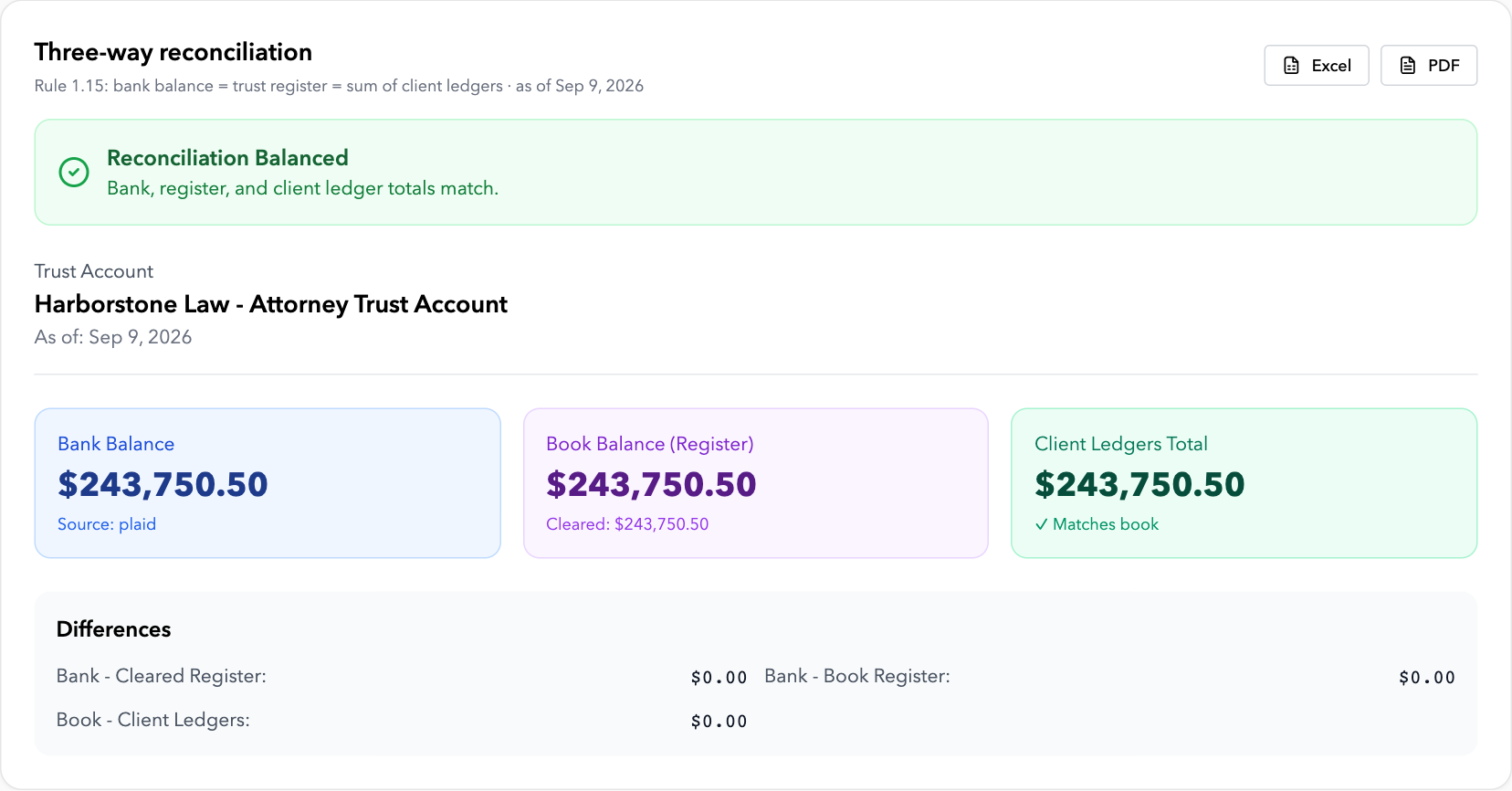
Compare bank, trust liability, and matter-ledger totals.
Real FIDGARD product screens shown with demonstration data.
No rip and replace
FIDGARD is a focused control layer, not another CRM or full practice-management system. Your bank remains your bank, QuickBooks remains your books, and your accountant remains part of the process.
Built for firms that hold client funds
Turn closing statements into reviewed payment instructions, printable checks, matter-ledger entries, and a cleaner reconciliation trail.
Closing statement → reviewed disbursementsExplore real estate accounting Settlement controlTrack settlement proceeds, liens, fees, expenses, and client distributions against the funds available for each matter.
Settlement funds → controlled distributionExplore personal injury accountingFounder-led product design and onboarding for law firms.
Built from direct experience
FIDGARD grew from hands-on trust-accounting work at LawLedgers, an accounting firm serving New York attorneys since 2010. That experience shaped the platform’s preventive controls, matter-level records, approval workflows, and practical migration process.
Meet LawLedgers — accountants for lawyersTrust by design
FIDGARD coordinates records and approvals. It does not become the custodian of client funds or replace the people responsible for oversight.
Explore security & data handlingSimple, predictable pricing
Use the guided pilot to validate beginning balances, run in parallel, and complete a first clean reconciliation before expanding.
Your guided 30-day pilot is free. Billing begins afterward if you continue.
Multiple trust accounts? We will scope the rollout during your demo.
Book a 20-minute demoSee subscription and trial termsQuestions buyers ask
Still evaluating the fit? Call (929) 560-4499 or email info@fidgard.com.
No. FIDGARD is the trust-accounting control layer between your bank, QuickBooks, and client matters. It strengthens the workflow while keeping the systems your firm already uses.
FIDGARD does not hold, custody, or control client funds. Your firm remains the custodian and all funds remain in your firm-controlled bank accounts.
Yes. A guided pilot can start with one trust account, validate beginning balances, and run in parallel before your firm expands the workflow.
Ask the Books answers plain-English questions using your firm’s accounting records. Trust Review combines automatic checks with AI explanations to help your team investigate findings. AI closing review turns source documents into structured drafts. Your team verifies the information and controls approval; AI does not approve or release payments.
Yes. Scheduled background checks send in-app notifications for critical findings, such as unassigned deposits and negative client balances, with push notifications where enabled. Open the finding to review its supporting records and decide the next step.
No software can guarantee compliance. FIDGARD supports recordkeeping, segregation, matter-ledger, reconciliation, and control workflows aligned with ABA Model Rule 1.15. State requirements vary and remain the firm’s responsibility.
FIDGARD is not generic bookkeeping, a practice-management CRM, or investment and court-accounting software. It is a focused control layer for law firms that hold client funds.
The first 30 days are free. After the guided pilot, FIDGARD is $199 per month, plus $3 for each AI-processed closing statement. Check printing is included without a per-check fee.
See your trust workflow in FIDGARD
Tell us about your firm. We will arrange a walkthrough focused on your trust-accounting workflow.
Tell us how your firm worksThree required fields, then send your request.
See the actual productWe focus the demo on your trust workflow.
Decide on a guided pilotStart with one account and clear success criteria.